













Power your dreams.
It’s the holidays, and lucky you — you’ve scored an Xbox Series S or X (or better yet, you’re giving one to a loved one)! Congratulations! Here’s a quick guide with everything you need to know about your new console.
(And a reminder to those giving the console as a gift: it’s not a bad idea to open the console and set it up before hand, installing all updates prior to repackaging it, wrapping it and putting it under the tree!)
The console
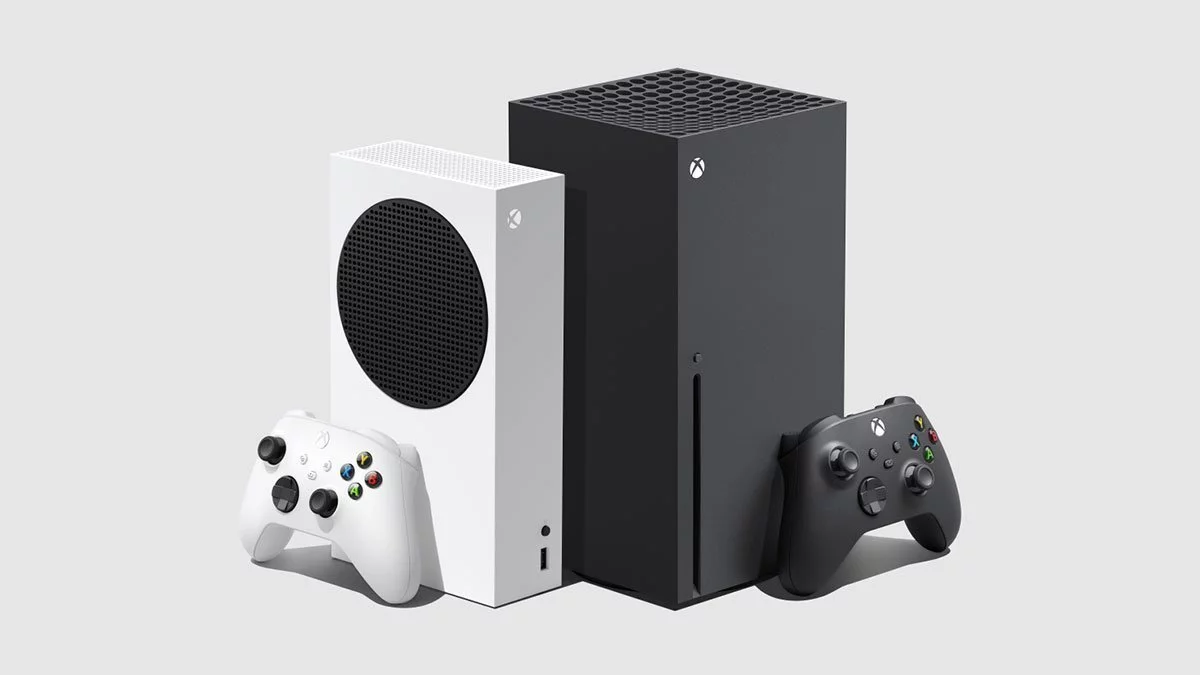
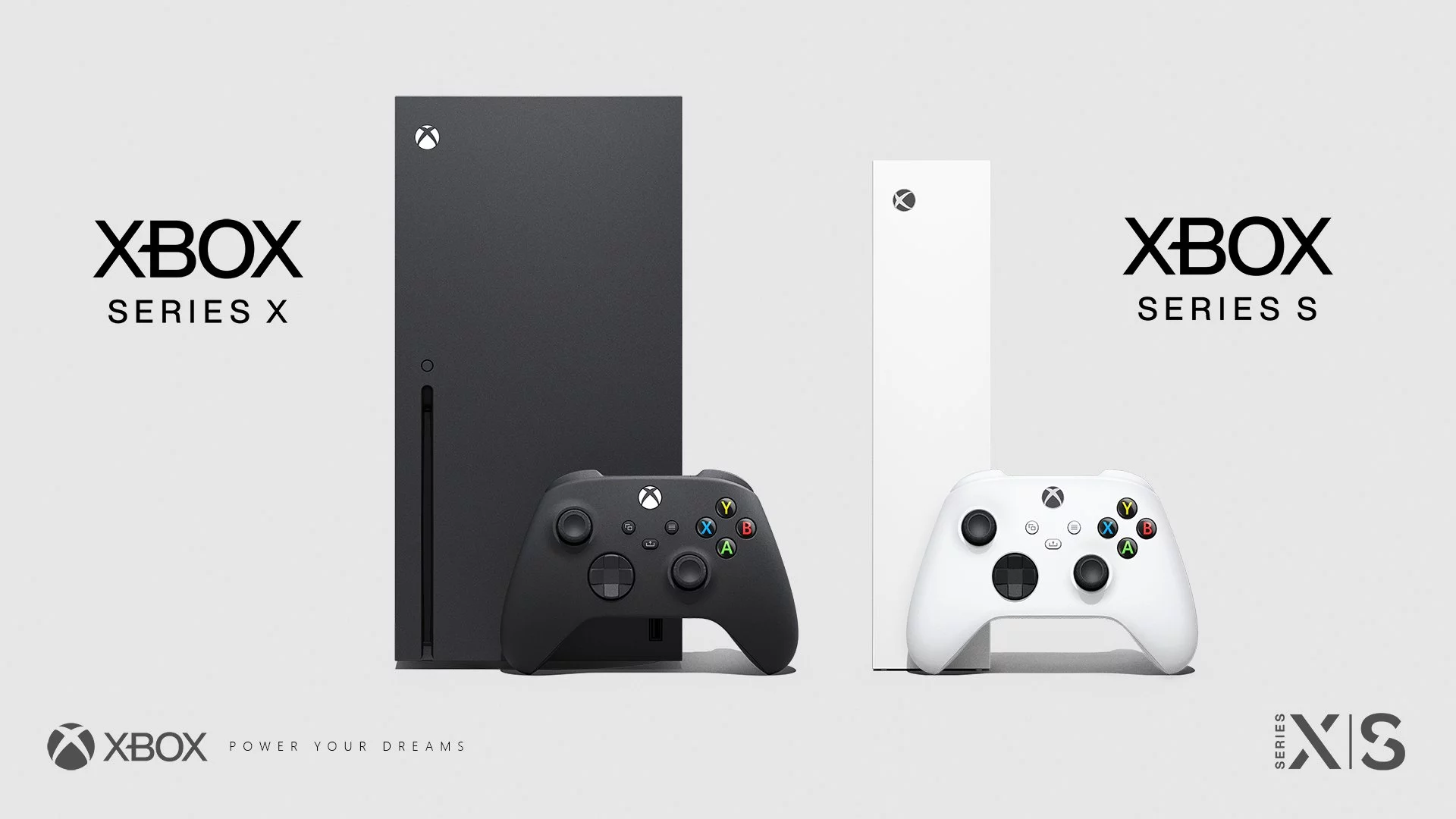
There are two types of Xbox Series consoles available now: the Xbox Series S, which runs game at up to 1440p and 120 FPS, and the 4K, 120FPS capable Xbox Series X. The S is a smaller, white box while the X has been called a fridge in the past. The consoles use HDMI to connect to your TV or monitor; the cable included with your console is capable of the HDMI 2.1 standard (which can support up to 4K and 120 FPS), but you’ll need to check if your TV supports that as well. We know for sure that the LG CX range is a good choice, and the slightly older C9 and B9 range works as well (but for more on that, head here).
The Xbox Series X generally comes with a 1TB SSD (solid-state drive), while the Xbox Series S comes with either a 512 GB or 1TB SSD. Current-gen Xbox Series games will need to be run from the SSD, while older backwards compatible games can be stored on an older, USB-powered HDD. The SSD provides for much faster loading and data transfer times, hence the need for new games to be installed and run from them. If you’re running out of current-gen space, you can buy a 1TB expansion drive.
Microsoft also offers the premium Xbox One Elite v2 controller, complete with interchangeable joysticks, d-pad and rear paddles. It’s a must-have simply due to its pleasing weight and functionality. Sadly, the high-end controller doesn’t offer a decidated Share button like the new Xbox Series controllers do (though you can use any old Xbox One peripheral with your Xbox Series console).
Related: Xbox Series X Review: PC performance meets console simplicity
Interface and console-specific features
The easiest way to get around is to hit the Xbox button, otherwise known as the Guide button, on your controller, then accessing items like My Games and Apps from there.
To get the most of your console, you’ll need to connect it to internet and sign-up for a Microsoft Account. Doing so will give you access to the Microsoft Store (and its games and apps) and other goodies like Achievements and cloud saves. If you want to play online games, you’ll need an Xbox Game Pass subscription, but more on that later.
Popular apps include Netflix, Stan, Disney+ and many more. You can also stream television and movies from Microsoft’s in-built Films & TV service.
Games
The Xbox Series X plays Xbox Series, Xbox One discs and select Xbox 360 and Xbox discs. It — alongside the Xbox Series S — also play digital Xbox Series games as well as select Xbox One, Xbox 360 and original Xbox titles via backwards compatibility.
Microsoft has also recently launched the Xbox Smart Delivery system, which lets gamers play the same title on Xbox Series S & X, Xbox One and Windows PC with one singular purchase. With these supported titles, you’ll be able to carry your saves between any platform.
Users can also take advantage of the Xbox Game Pass subscription service. The latter offers up online gaming access (for multiplayer and a monthly set of free games), plus a Netflix-style library of over 100 titles on both Xbox One and Windows PC. Newly included to the Xbox Game Pass library are a host of titles from EA’s own EA Play service. Most first-party Microsoft titles are automatically added to the service.
Users can set 1 home Xbox per account, three times per year. Anyone who accesses that user’s Home Xbox gains access too all their purchases (including Xbox Game Pass Core or Ultimate, but more on that later).
Finally, here are links to the biggest Xbox exclusive titles of the last few years:
- Starfield
- Gears Tactics
- Sea of Thieves
- Halo The Master Chief Collection
- Gears 5
- Forza Horizon 5
- Psychonauts 2
- Halo Infinite
- Pentiment
- Grounded
Most, if not all, of the list above is accessible via Xbox Game Pass as well. We’ll get to that in a second.
Xbox Game Pass in all its forms
Xbox Live, the service that once made it possible to play online multiplayer games on Xbox, is dead. In its place now is Xbox Game Pass in various forms. And be warned: this gets confusing.
There are three forms of Xbox Game Pass now, as follows:
- Xbox Game Pass Essential: Cloud gaming, in-game benefits, online console multiplayer, and up to $25 worth of Microsoft Store Rewards depending on how much you spend and play. It also features the smallest streamable library of titles of all three Xbox Game Pass plans, sitting around 50 or so.
- Pricing: $12.95 AUD per month, or $9.99 USD per month in the USA.
- Xbox Game Pass Premium: Cloud gaming, in-game benefits, online console multiplayer, and up to $50 worth of Microsoft Store Rewards depending on how much you spend and play. It also features a streamable library of titles of around 200 titles, including new Xbox-published games within their first year of launch.
- Pricing: $17.95 AUD per month in Australia, or $14.99 USD per month in the USA.
- Xbox Game Pass Ultimate: Cloud gaming at up to 1440p, in-game benefits, online console multiplayer, and up to $100 worth of Microsoft Store Rewards depending on how much you spend and play. It includes the largest streamable library of titles of around 400 titles, including “75+” day one releases each year, including all new new Xbox-published games at their day one launch. Access to Ubisoft+ Classics and EA Play is also included, as are Fortnite rewards.
- Pricing: $35.95 AUD per month in Australia, or $29.99 USD per month in the USA.
Got all that? Enjoy your new console!
This article first appeared in December 2019 and was refreshed for 2020, 2021, 2022, 2023, and 2025.
This article may contain affiliate links, meaning we could earn a small commission if you click-through and make a purchase. Stevivor is an independent outlet and our journalism is in no way influenced by any advertiser or commercial initiative.