



















Save some battery, boost some frames.
The ROG Xbox Ally and ROG Xbox Ally X now support Default Game Profiles, with Microsoft saying the feature will “automatically balance frame rate… and power consumption for 40 supported games”.
“This means smoother, more enjoyable gameplay and extended battery life, without requiring manual adjustments,” Microsoft said. “For example, in Hollow Knight: Silksong, the Default Game Profile can add nearly an hour of battery life compared to Performance mode while still delivering smooth 120 FPS gameplay.”
Default Game Profiles have been created for the likes of Fortnite, Call of Duty: Black Ops 7, Gears of War Reloaded, Hollow Knight Silksong, and more, with even more “coming soon” according to the publisher. A current list of all supported titles can be found here.
When a game with a profile is launched, it will monitor power draw and framerates, boosting power to hit framerate targets if needed, or limiting FPS and conversing power if it’s performing too well.
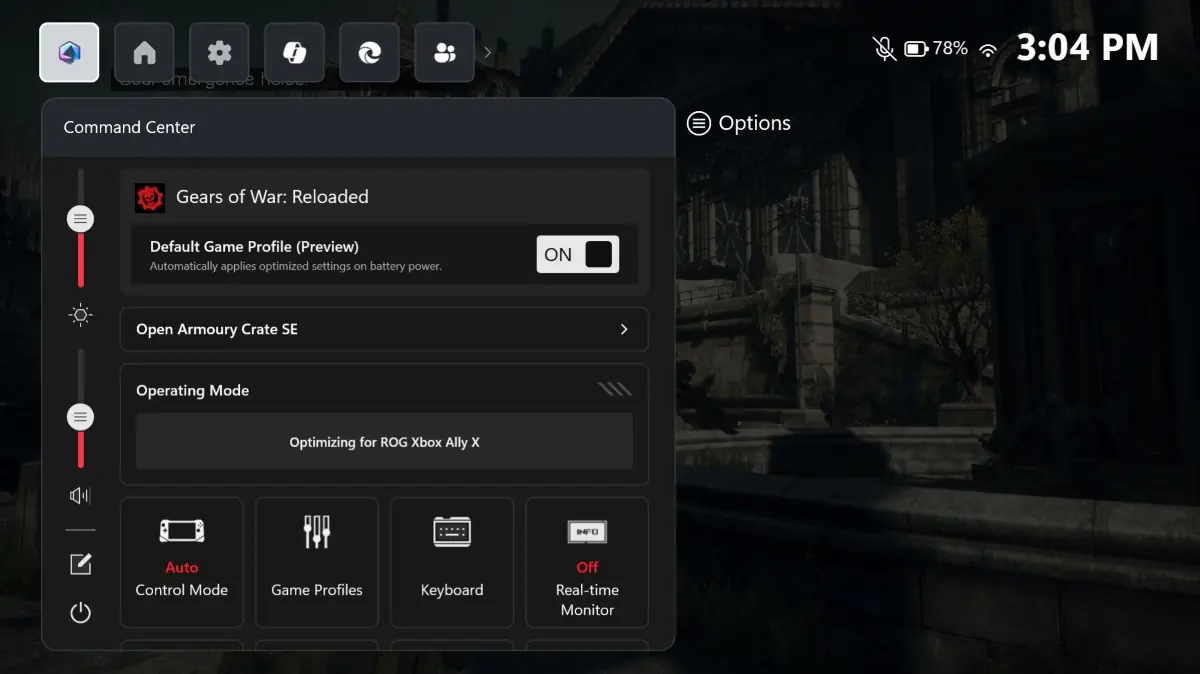
To toggle a Default Game Profile on or off for any supported game, you’ll need to hit the Xbox button on your ROG Xbox Ally, then navigate to the Armoury Crate Command Center and toggle it. The featured image at the top of this post shows one for Gears of War Reloaded.
The feature needs your ROG Xbox Ally handheld to have the most up-to-date versions of Armoury Crate SE, the Xbox PC app, and Windows 11.
We reviewed the ROG Xbox Ally X right here.
This article may contain affiliate links, meaning we could earn a small commission if you click-through and make a purchase. Stevivor is an independent outlet and our journalism is in no way influenced by any advertiser or commercial initiative.